I like ethernet over Wifi for my desktop.I dont like cable thats why i have wireless mouse and keyboard so i decide to test
a wifi dongle.My choice EDUP EP-AC1619.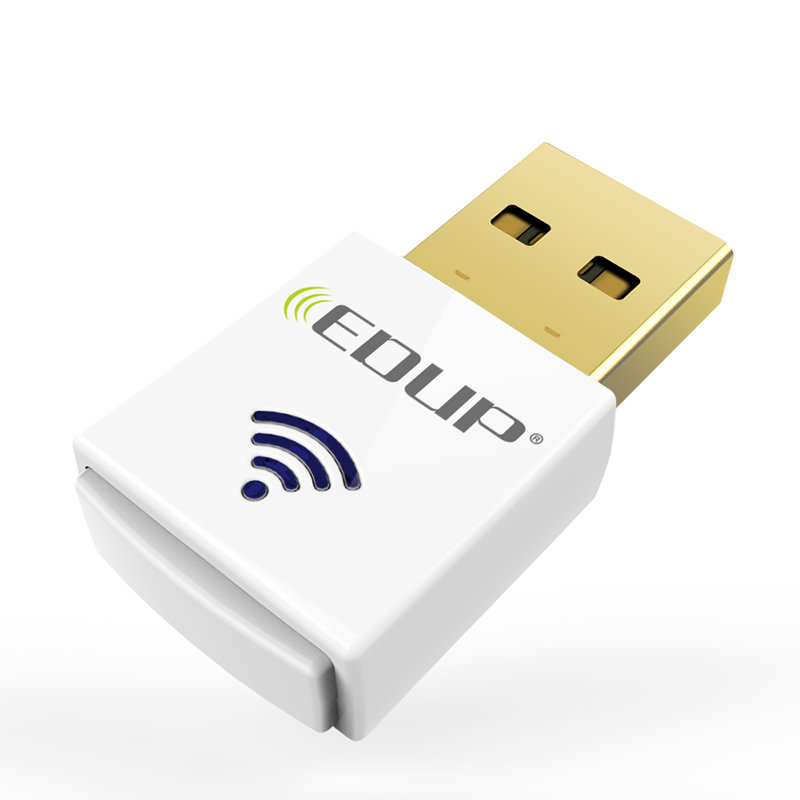
⚬ Brand: EDUP
⚬ Model Number: EP-AC1619
⚬ Interface: USB
⚬ Wifi Band: Dual-Band(2.4G or 5.8G)
⚬ Transfer Rate: AC 600Mbps (2.4G 150M / 5.8G 433M)
⚬ Protocol Standard: IEEE 802.11n / IEEE 802.11b / IEEE 802.11g / IEEE 802.11 a / IEEE 802.11 ac
⚬ Chipset: RTL8812au
⚬ Color: White
⚬ Supported Systems: Win XP / VISTA / Win 7 / 8 / 8.1 / 10 / Mac / Linux
I have Mint 18.1 Kernel: 4.4.0-53-generic x86_64 i plug it but no luck.So terminal you know the drill in case you have git installed you dont need the 2 first commands.
sudo apt-get install build-essential git
git clone https://github.com/gnab/rtl8812au.git
cd rtl8812au
make
sudo make install
sudo modprobe 8812au
And ready to Rock´n´Roll.My ethernet give me around 98Mbps.I connect in 5GHz and run the speedtest.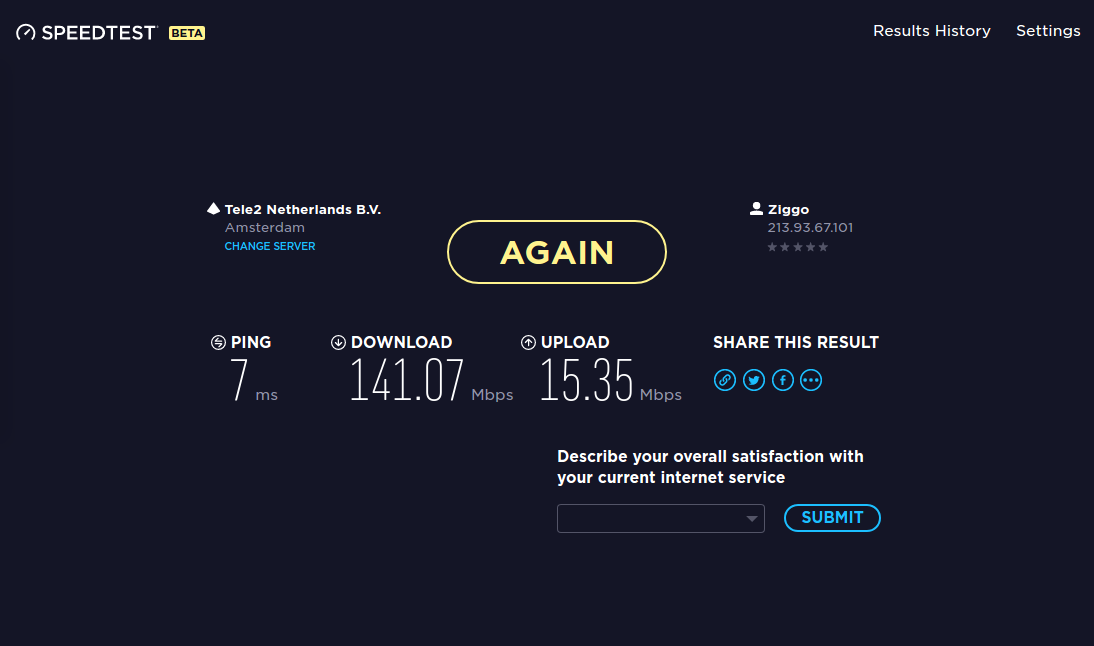
For more detail i run wavemon. 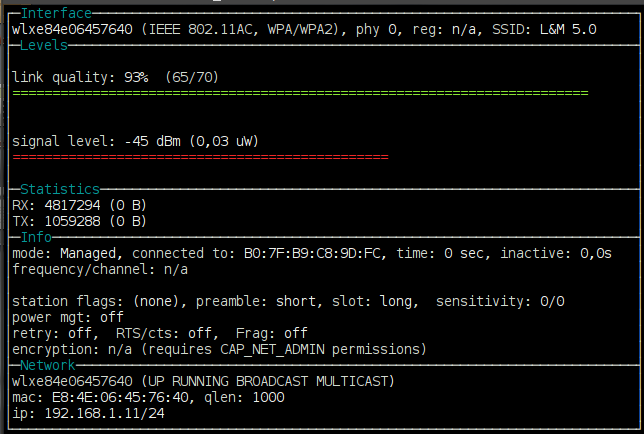
Overall is a nice Wifi dongle and cost around 11$-15$ mine i bought it in bangood.com
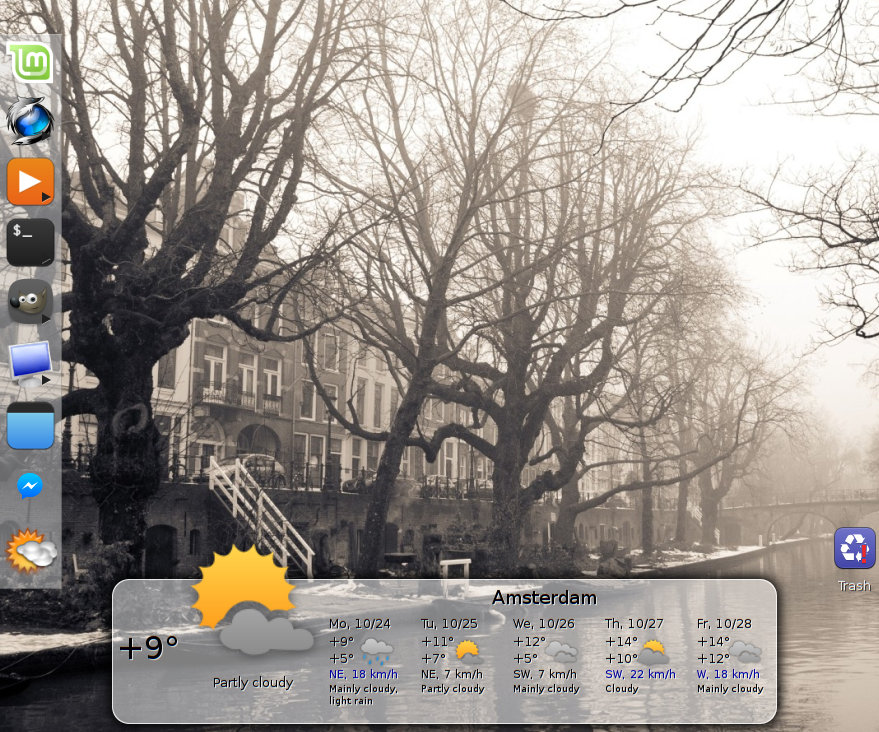
Gis-Weather widget tool is easily and massively customizable for Linux desktop, it displays detailed weather forecast. It acts just like conky but with this you don't need to worry about fixing the code in any kind of script, it has super easy weather setup. You can add as much location as you want and add as many widgets as you like, you choose location by right-click + choose to display weather information on the widget. It allows you to change its appearance (background, icons, text, window settings), display on all desktops, lock position to the desktop, choose presets themes for widgets and more customization can be done from its preferences.
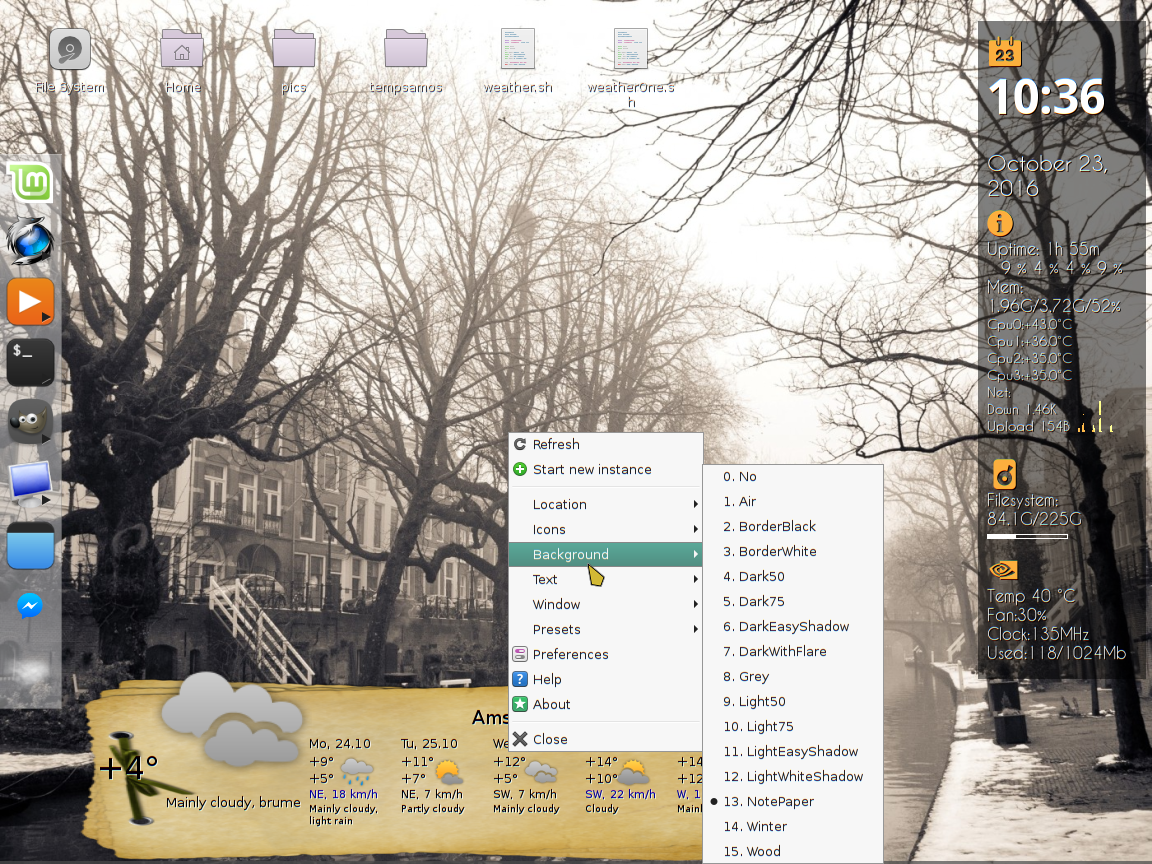
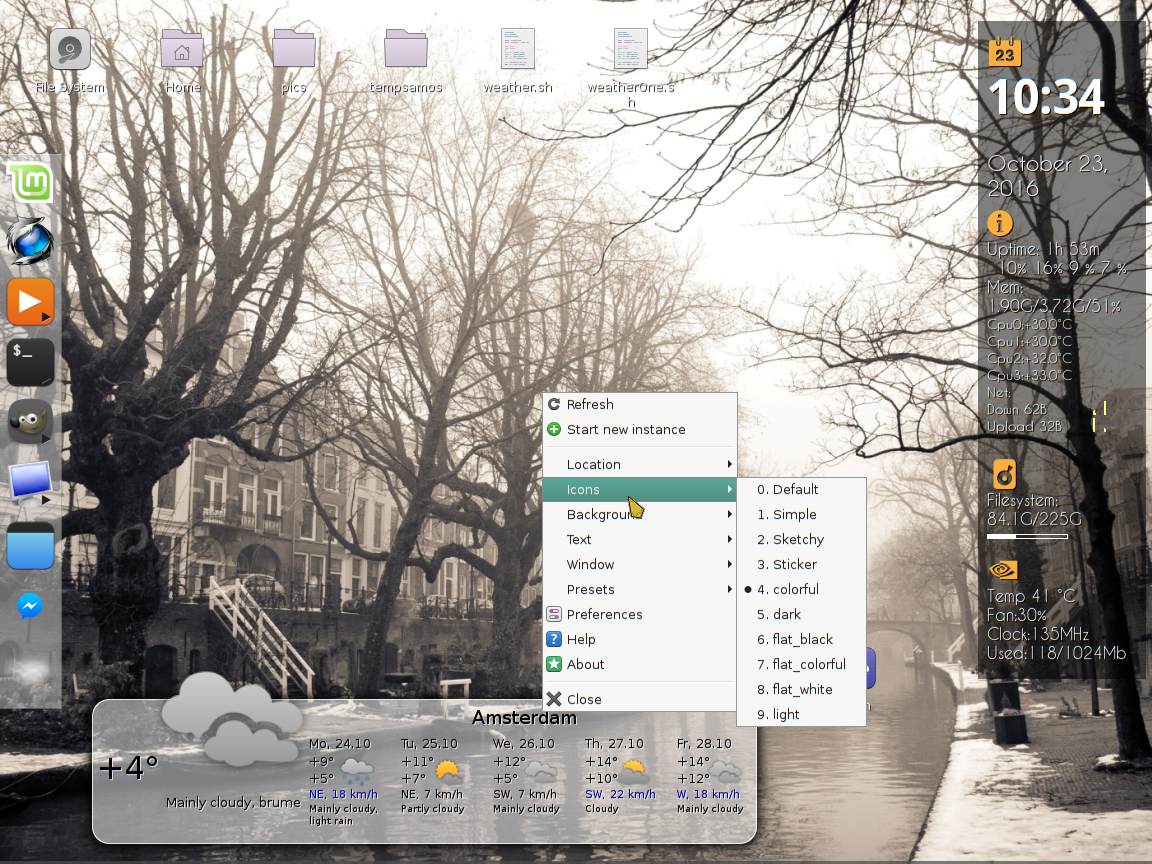
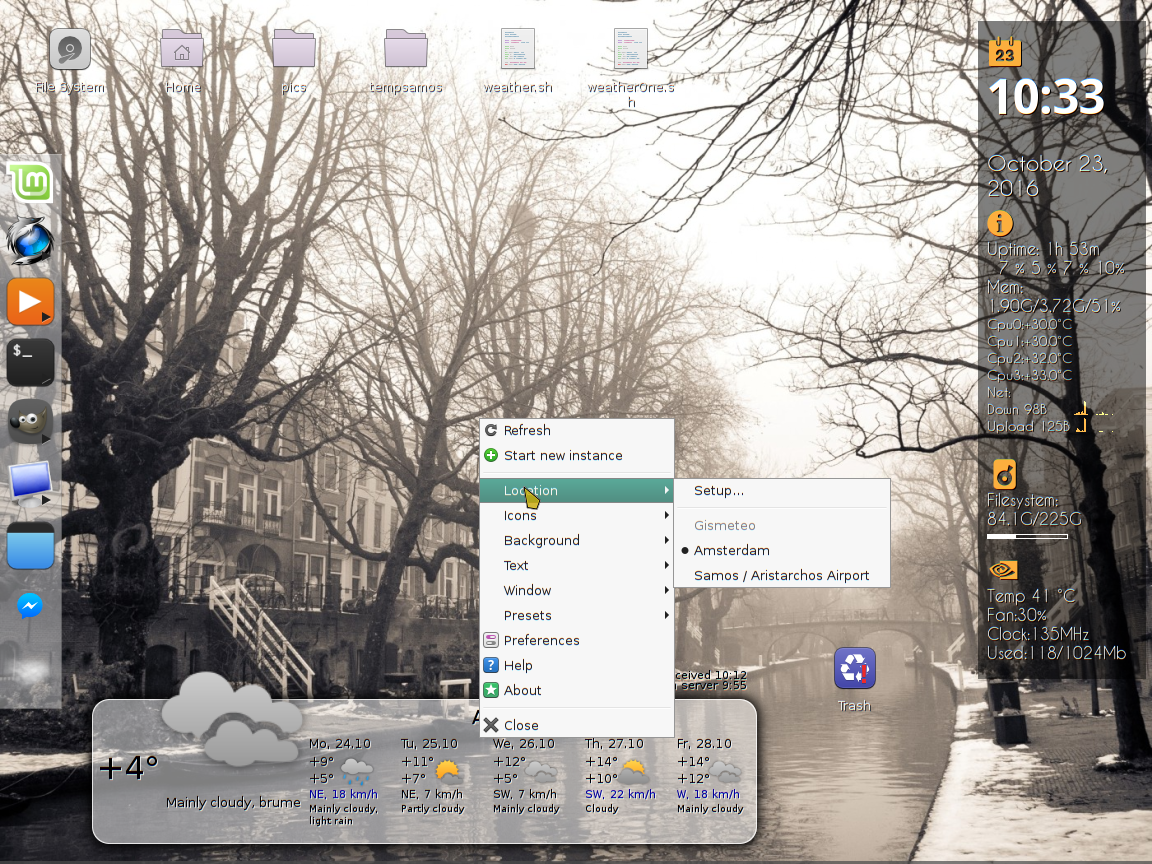
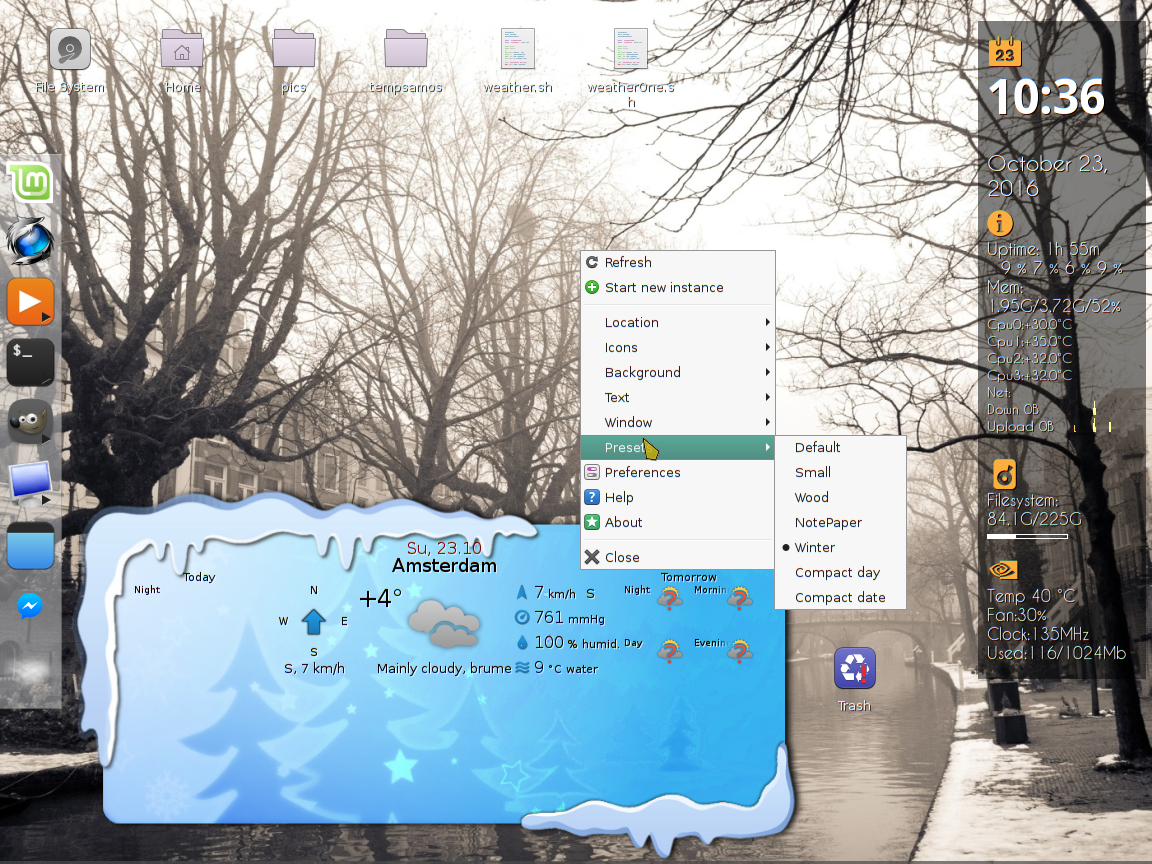
- View weather for several days
- Detailed weather forecast for today and tomorrow
- Fast switching between cities
- Select the background and theme weather icons
- "Compass" with the wind direction, with adjustable angle of rotation
- Highlighting the high wind
- Supported weather services Gismeteo.com:AccuWeather.com OpenWeatherMap.org
- Support SVG and widget scale
- Indicator to panel
- Presets
Install the widget
sudo add-apt-repository ppa:noobslab/apps
sudo apt-get update
sudo apt-get install gis-weather
Remove the widget
sudo apt-get remove --purge gis-weather
Gis Weather download | SourceForge.net
Arch Linux users can install Gis Weather via AUR.

As a logitech fan recently i bought MK330 keyborad combo with m215 mouse.
That usb dongle can support up to 6 devices.The problem is that i still use my old
K260 (is indestructible keyboard ) and i dont like to have 2 dongles.
Solaar is a Linux tool that allows you to manage Logitech Unifying Receiver mice and keyboards, that comes with both a GUI and command line interface.The application can be used to pair / unpair Logitech devices to the Unifying receiver, it candisplay the battery status for most devices and, for some peripherals, it supports some extra settings that aren't available through the standard Linux system configuration:
- K750 Solar Keyboard: display the current lighting value (Lux);
- K360, MK700, K750 and K800 keyboards: toggle the FN key state;
- Performance MX Mouse: change the DPI;
- M705 Marathon Mouse and M510 Wireless Mouse: toggle smooth scrolling.
Install
Ubuntu 14.04 or 12.04 / Linux Mint
sudo add-apt-repository ppa:daniel.pavel/solaar
sudo apt-get update
sudo apt-get install solaar
Ubuntu 14.10 / Linux Mint 17.1
sudo add-apt-repository ppa:trebelnik-stefina/solaar
sudo apt-get update
sudo apt-get install solaar
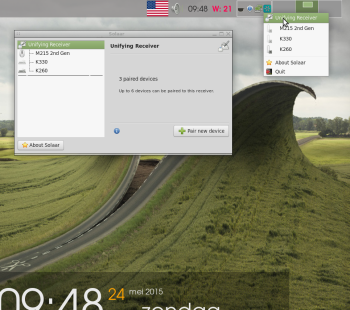
Enjoy your logitech and happy typing
Source:webupd8
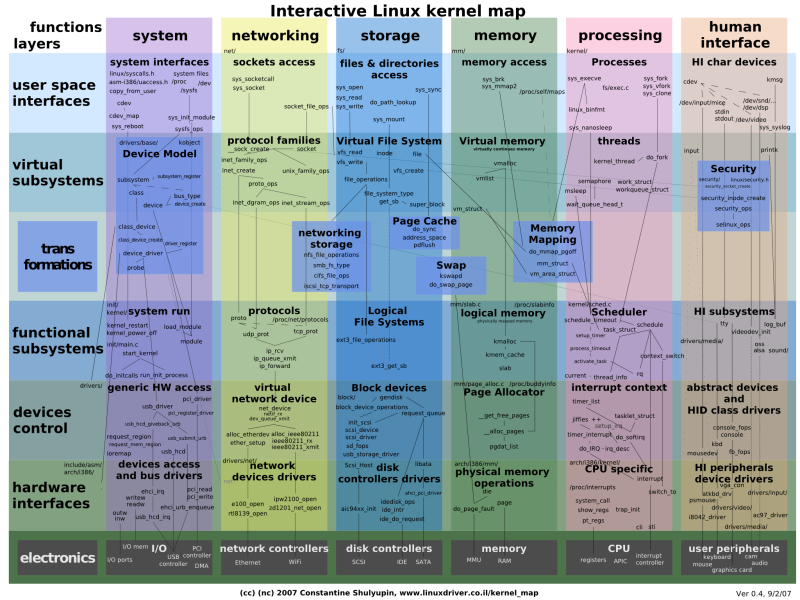 |
Among others, the new kernel includes 3D support in the GPU driver, |
Install in 32bit systems Ubuntu and derivative systems:
Download the needed packages:
$ cd /tmp
$ wget \
kernel.ubuntu.com/~kernel-ppa/mainline/v4.4-wily/linux-headers-4.4.0-040400_4.4.0-040400.201601101930_all.deb \
kernel.ubuntu.com/~kernel-ppa/mainline/v4.4-wily/linux-headers-4.4.0-040400-generic_4.4.0-040400.201601101930_i386.deb \
kernel.ubuntu.com/~kernel-ppa/mainline/v4.4-wily/linux-image-4.4.0-040400-generic_4.4.0-040400.201601101930_i386.deb
Install the Kernel:
$ sudo dpkg -i linux-headers-4.4*.deb linux-image-4.4*.deb
Install in 64bit systems Ubuntu and derivative systems:
$ cd /tmp
$ wget \
kernel.ubuntu.com/~kernel-ppa/mainline/v4.4-wily/linux-headers-4.4.0-040400_4.4.0-040400.201601101930_all.deb \
kernel.ubuntu.com/~kernel-ppa/mainline/v4.4-wily/linux-headers-4.4.0-040400-generic_4.4.0-040400.201601101930_amd64.deb \
kernel.ubuntu.com/~kernel-ppa/mainline/v4.4-wily/linux-image-4.4.0-040400-generic_4.4.0-040400.201601101930_amd64.deb
Install the Kernel:
$ sudo dpkg -i linux-headers-4.4*.deb linux-image-4.4*.deb
Optional, remove the kernel:(Better to remove after restart and check if the system work properly)
$ sudo apt-get remove linux-headers-4.4* linux-image-4.4*
Graphics
- AMD Stoney support, initial graphics support for an upcoming AMD APU launch.
- There are numerous AMDGPU additions for those with an AMD Carrizo, Tonga, or Fiji graphics processor. That includes enabling the AMDGPU scheduler by default, new AtomBIOS opcodes, and various fixes. Sadly, there isn't any power management support in AMDGPU for Linux 4.4 for the discrete graphics cards, but those PowerPlay patches are coming for Linux 4.5 to significantly boost the performance of this modern open-source driver.
- There's a Raspberry Pi KMS driver that's finally landed after the extensive work done by Eric Anholt at Broadcom. Unfortunately for Linux 4.4, this Raspberry Pi kernel graphics driver is just for kernel mode-setting and doesn't yet handle 3D hardware acceleration or power management. Eric is still working on that acceleration code as well as the accompanying VC4 Gallium3D driver.
- We finally have the VirtIO VirGL DRM code! This is used in conjunction with the VirtIO VirGL code in Mesa's Gallium3D along with changes in QEMU 2.5 for providing OpenGL acceleration support to guest virtual machines over QEMU+KVM with VirtIO. VMWare and VirtualBox have long offered 3D acceleration to guest VMs and it's great that finally there is support on a fully open-source virtualization stack. Of course, it will be a while before the necessary Mesa and QEMU code trickles down in released form to distributions.
- Nouveau has some re-clocking improvements, better stability, and other enhancements but nothing too jaw-dropping. There's still no hardware acceleration for the modern GeForce GTX 900 series as NVIDIA hasn't yet supplied the developers with the needed signed firmware images.
- Freedreno's MSM driver has added Snapdragon 820 support as Qualcomm's newest SoC.
- The Intel DRM code in Linux 4.4 is primarily about fixes and other low-level improvements. The primary benefactors of Intel's latest work continues to be Skylake and Broxton graphics hardware.
- Core DRM code includes more atomic mode-setting work and other changes.
source [www.phoronix.com]
A little tutorial for conky in Mint (Cinnamon)
.Conky is a free, light-weight system monitor for X, that displays any information on your desktop. Conky is licensed under the GPL and runs on Linux and BSD.
The latest stable release of Conky is 1.9.0.