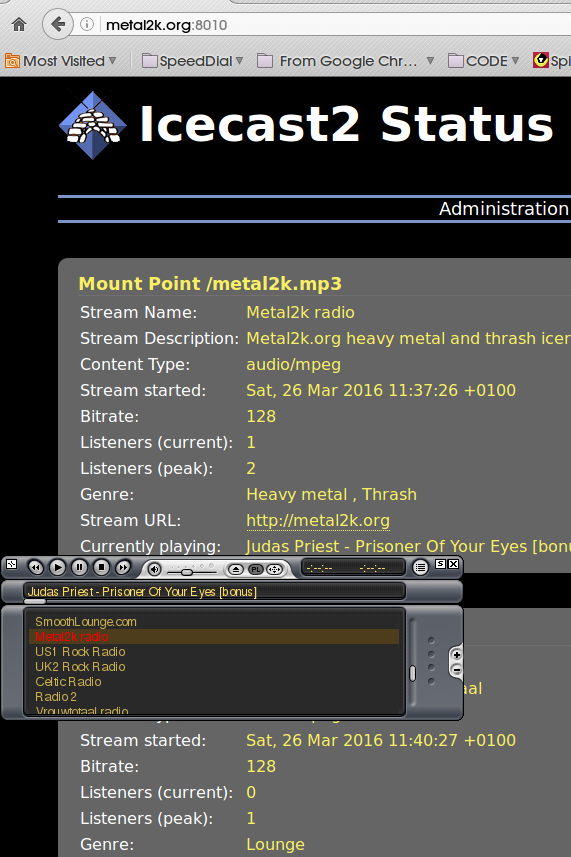
First install the iceacast2
sudo apt-get install icecast2
Edit the /etc/icecast2/icecast.xml with your favorite editor.Most value work by default.We need to change passwords for sources relay and admin.The port for the radioserver and mount points.
gedit /etc/icecast2/icecast.xml
Edit the /etc/default/icecast2 and set your icecast enable
Your icecast2 is set we can start the service
/etc/init.d/icecast2 start
Let's install our Ezcast that will be our playlist (we can also use DarkIces or Ices).
The one i use and work smooth is the ezstream_0.5.6 (click to download the .deb file)
Configure ezstream.
Create our playlist text file ,find the mp3 files and add to a text file called songs.txt
find /path/to/music -name *.mp3 >/path/to/songs.txt
If everything went well we are ready to start our mount point and enjoy our radio.
ezstream -c /path/to/ezstream_conf_file.xml &
You can make a launcher for your mount point or a create shell to start after boot (in that case is wise to use a delay)
Tip #1
I use as mount point names .mp3 example: mintpenguins.mp3 (some flash players can not deliver without mp3 extension)
Tip #2
How to show info of our streams in a web page with php.
First create a file in /usr/share/icecast2/web i named it json-MintPenguinsStream.xsl
Then make in the server a php file to show the informations of your stream
With $myArray you can found all the info you need artist,mount point,song....
All modern browsers support just http://server:port/stream.mp3
but in html5 is very easy
Hope you like our quick tutorial.Have fun and enjoy IceCast2.